Few things are as quietly maddening as watching your battery percentage tumble before lunch. If you keep asking yourself why is my phone battery dying so fast, the answer is rarely a single villain. It is usually a stack of small habits, aging hardware and greedy apps working together in the background. The good news is that almost every cause leaves fingerprints somewhere in your settings, and once you know where to look, most of the fixes take minutes rather than money. Here is what actually drains a modern smartphone, and what to do about each culprit.
The screen is still the biggest energy hog
Displays have grown larger, brighter and faster with every generation, and they remain the single hungriest component in your phone. A panel running at 120Hz with brightness pushed high can account for a third or more of your daily drain. Open your battery settings and check screen-on time. If it dwarfs everything else, start there. Lower the brightness ceiling, let auto brightness do its job, and shorten the auto-lock timer so the screen is not glowing at an empty room. If your phone has an OLED panel, dark mode delivers a real saving too, because those pixels use almost no power when displaying black.
Background activity you never see
Plenty of apps keep working long after you close them. Social networks refresh feeds, messaging apps hold connections open, and shopping apps poll your location to serve nearby offers. Check the battery usage list in your settings and look for apps whose background share is out of proportion to how often you open them. Enthusiast communities such as r/Android on Reddit regularly surface rogue apps that start misbehaving after an update, which makes them a useful early-warning system. Restrict background refresh for the worst offenders, and simply uninstall anything you have not opened in a month.
Why is my phone battery dying so fast even when idle?
Overnight or in-pocket drain has its own set of causes. The most common one is weak signal. When reception is poor, the cellular radio ramps up its transmission power and hunts for towers, which burns energy even while the phone appears to be asleep. Enabling Wi-Fi calling at home or in a poorly covered office can make a visible difference. Another frequent cause is a stuck process, sometimes called a wakelock, that prevents the phone from entering deep sleep. These often appear right after a system update. A simple restart clears many of them, and updating your apps clears most of the rest. Good education for citizenship helps children understand fairness, community and their role in it.
Batteries age, and chemistry always wins
Every phone battery is a consumable part. A lithium-ion battery loses a little capacity with every charge cycle, and after roughly 500 full cycles most cells hold around 80 percent of their original charge. That is why a two-year-old phone with your exact settings and apps still dies earlier than it used to. Heat accelerates this aging more than anything else, so avoid leaving your phone on a sunny dashboard, take thick cases off during fast charging, and do not game for hours while plugged in. Most phones now show a battery health readout in settings, which tells you how much of the decline is simple wear.
Battery drain has as much to do with patented power-management design as with user habits, and that intellectual property is filed in many jurisdictions at once. Each filing has to say precisely the same thing in a different language, which is harder than it sounds. This piece on patent translation services covers the costly mistakes that creep into those parallel versions.
Software efficiency matters more than you think
Two apps that do the same job can have wildly different appetites, because energy use is a design decision. Efficient software batches network requests, schedules work for moments when the chip is already awake, and avoids waking the screen without reason. The wider industry has spent the past decade treating power as a first-class engineering constraint, a shift described well in this piece on digital power optimization, and it shows in how modern processors shuffle tasks between fast and slow cores. As a user, you benefit by keeping your operating system current, since efficiency improvements arrive with updates, and by choosing lighter versions of apps when they exist.
Charging habits that quietly help
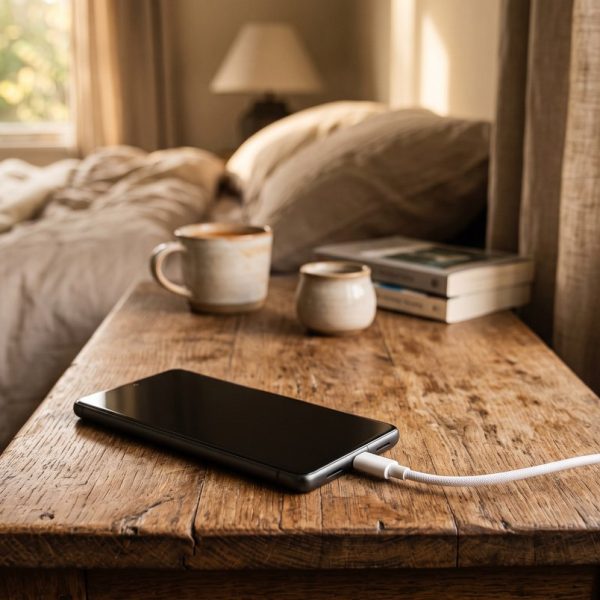
How you charge matters almost as much as how you use the phone. Lithium cells are happiest in the middle of their range, so topping up little and often beats running to zero and charging to full every night. Many phones now offer an optimized or adaptive charging mode that pauses at 80 percent overnight and finishes just before your alarm, which noticeably slows long-term wear. Cheap uncertified chargers are worth avoiding too, not only for safety but because poor voltage regulation generates extra heat, and heat, as covered above, is the one thing your battery never forgives. None of these habits will rescue a worn-out cell, but together they keep a healthy one healthy for an extra year or more.
When to stop tweaking and replace the battery
If you have tamed the screen, restricted the background offenders and ruled out signal problems, yet your phone battery is draining fast by mid-afternoon, the battery itself is probably the problem. Replacement is far cheaper than a new phone and takes under an hour at most authorized service centers. Check your battery health first: below 80 percent, a swap will feel like getting a new device. Above that, keep an eye on usage for a week, because a single misbehaving app can undo every other fix. Either way, the mystery of the vanishing percentage is almost always solvable, and usually without spending anything at all.